|
#1
 01-03-2015, 19:38
|
|||
|
|||
|
DragonBall Xenoverse - NxDVD5 CIU1014+UltraArc
DragonBall Xenoverse - 2xDVD5 CIU1014 By Yener90 modded by Razor12911 for UltraArc Support
- Make Isos.bat made from part of another script wich I think was made originally made by Peterf1999 and BAMsE. (If I'm wrong or missing anyone please let me know) - Images & music thnxs to google! 1)- Install the Game And All the updates you want 2)- Download the Conversion and extract (not in game folder) 3)- Run UltraARC.exe select game folder and press Compress 4)- Once finished, you can run Make Isos.bat from Converted folder. To make the isos automatically  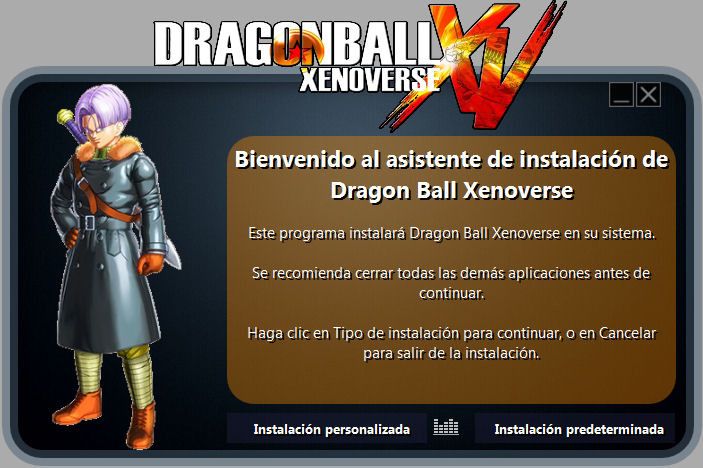  Pretty Basic Installer, just to have an option till someone else releases something better Last edited by Droppo; 02-03-2015 at 00:06. 
|
| The Following 16 Users Say Thank You to Droppo For This Useful Post: | ||
11rd (02-03-2015), alvarolgarciam (03-03-2015), fedeo (05-03-2015), houcine80 (02-03-2015), JMAGS_FF (08-11-2015), JPM (02-03-2015), lMoyo (28-07-2015), mertderler (14-03-2015), omdj (01-03-2015), pakrat2k2 (02-03-2015), Razor12911 (13-03-2015), Simorq (02-03-2015), steve_gerry (02-03-2015), sutikno (03-03-2015), wit (02-03-2015), zirkhaki (05-05-2016) | ||
| Sponsored Links |
|
#3
02-03-2015, 11:55
|
|||
|
|||
|
Quote:
|
|
#4
02-03-2015, 13:43
|
||||
|
||||
|
Quote:
Doing a run right now using 2.2.1 on your conversion to see the outcome, will post results as soon as its completed its compressions. EDIT: Worked 100% with Version 2.2.1, end up with 2xdvd5s DVD1 - 4.36GB DVD2 - 3.60GB Last edited by pakrat2k2; 02-03-2015 at 15:32.
|
|
#5
02-03-2015, 19:17
|
|||
|
|||
|
Quote:
TBH latest 2.2.1 seems to work well, just a couple issues already reported but can be avoided and get bthe program working without problems so far. My new conversions are being made with 2.2.1... Also one funny thing, did an precomp+srep+arc test on Evolve with 1.1 and got it almost to 5xDVD5 (just a couple of MBs out). Did the same test with 2.2.1 and it's like 2GB bigger and both extract well 
|
|
#6
02-03-2015, 20:27
|
||||
|
||||
|
precomp to me is just not worth the extra time to save 1 or 2 dvds. who wants to take 3-4 hours to install a game, because the extra time needed to uncompress the files.
as far as issues with 2.2.1, have had no issues. If you start it & notice a mistake or want to change something, simply delete all extra files / folders that were created & run it again, with the corrections you want, simple & no issue.
|
|
#8
03-03-2015, 07:27
|
||||
|
||||
|
Quote:
|
|
#10
03-03-2015, 07:40
|
||||
|
||||
|
easier to just extract the 2.2.1 into a folder, then extract the archive from 1st post into second folder, then move the converted subfolder( conversion file ) into where the 2.2.1 is.
use these settings from 1.1 in your 2.2.1 ini file Code:
[Options]
VolumePrefixName=DBXN_
CDImage=
BinkIt=
OggEncode=
CrunchTexture=

[Compressor]
Freearc=
7-Zip=
WinRAR=

[Split]
FirstVolumeSize=4405
CustomVolumeSize=4475
ThresholdPercent=100

[Distribution]
ArchivePrefixName=Data
ArchiveExtension=cab

[Freearc]
Method=srep delta lzma
PrecompVer=
PrecompJPG=
|
| The Following 2 Users Say Thank You to pakrat2k2 For This Useful Post: | ||
alvarolgarciam (03-03-2015), JPM (03-03-2015) | ||
|
#11
03-03-2015, 08:21
|
||||
|
||||
|
Quote:
|
|
#12
03-03-2015, 08:25
|
||||
|
||||
|
Quote:
Sorry, I'm a noob. Last edited by JPM; 03-03-2015 at 08:29.
|
|
#14
03-03-2015, 09:35
|
|||
|
|||
|
Quote:
|
|
#15
03-03-2015, 09:40
|
|||
|
|||
|
Quote:
|
 |
|
|


 Linear Mode

