|
#1
 01-08-2026, 04:06 |
||||
|
||||
|
DiskSpan GUI SFX builder
   No full installers, no multi-step setup wizards, and no clutter. You get a single, clean window: Destination path -> Extract. KEY FEATURES Single EXE Format — Easily extracts data from your DiskSpan GUI archives. Multi-Disk Ready — Works with single folders (UNLIMITED) as well as DVD / BD multi-disk sets. DSG Settings Aware — Name, creator, methods, install path, output path, Setup_Files and DLL password are read from DSG_Settings.ini. Automatic Script Reading — Reads Records.ini directly out of Setup.dll (or from a separate Records.ini next to the data). Reserved Space — Sets DSG's ReservedSize to the size of the EXE, so it fits on the first disk. Customizable — Customize icons, background artwork (BMP format with auto-dimming), fonts, and dimensions. Pause / Resume — Extraction can be paused (DSG 2.0.2.5 beta 3+ module). Batch / Silent Mode — Full support for command-line switches like /AUTO and /OUT="...". 36 Languages — Picked automatically from the Windows language, or forced in config.toml / with /LANG=XX. All-in-One — Portable Inno Setup is included; the DSG module comes from DiskSpan GUI, with a bundled copy as fallback. WHERE TO PUT IT (DIRECTORY STRUCTURE) Important: The _SFX_Builder folder must sit NEXT TO the COMPRESSOR folder of your DiskSpan GUI installation. It detects everything else automatically. Correct directory layout: Code:
DiskSpan_GUI v2.0.2.5
├── COMPRESSOR
│   ├── DiskSpan_GUI.exe                   <- Builds the decompressor DLL (Before mode)
│   ├── _Script Example (DSG)\Include\DSG\ <- DSG module (used first, when present)
│   ├── Resources\DSG_Settings.ini         <- Name, methods, paths, ReservedSize ...
│   ├── Resources\Win64\Arc.exe            <- Reads Records.ini out of Setup.dll
│   ├── Setup_Files\                       <- Before mode writes Setup.exe here
│   └── Conversion_Output\DISK_1 | DISK | CONVERSION
└── _SFX_Builder\                          <- PUT IT HERE
    ├── _Script Example (DSG)\Include\DSG\ <- DSG module (fallback, if COMPRESSOR has none)
    ├── IS_Files\                          <- Portable Inno Setup (ISCC.exe)
    ├── languages\                         <- Language files (35 languages)
    ├── Setup\                             <- Graphics & Icons (BG.bmp, ico.ico)
    ├── Templates\Unpacker.iss
    ├── Build SFX.bat
    ├── Build-SFX.ps1
    └── config.toml
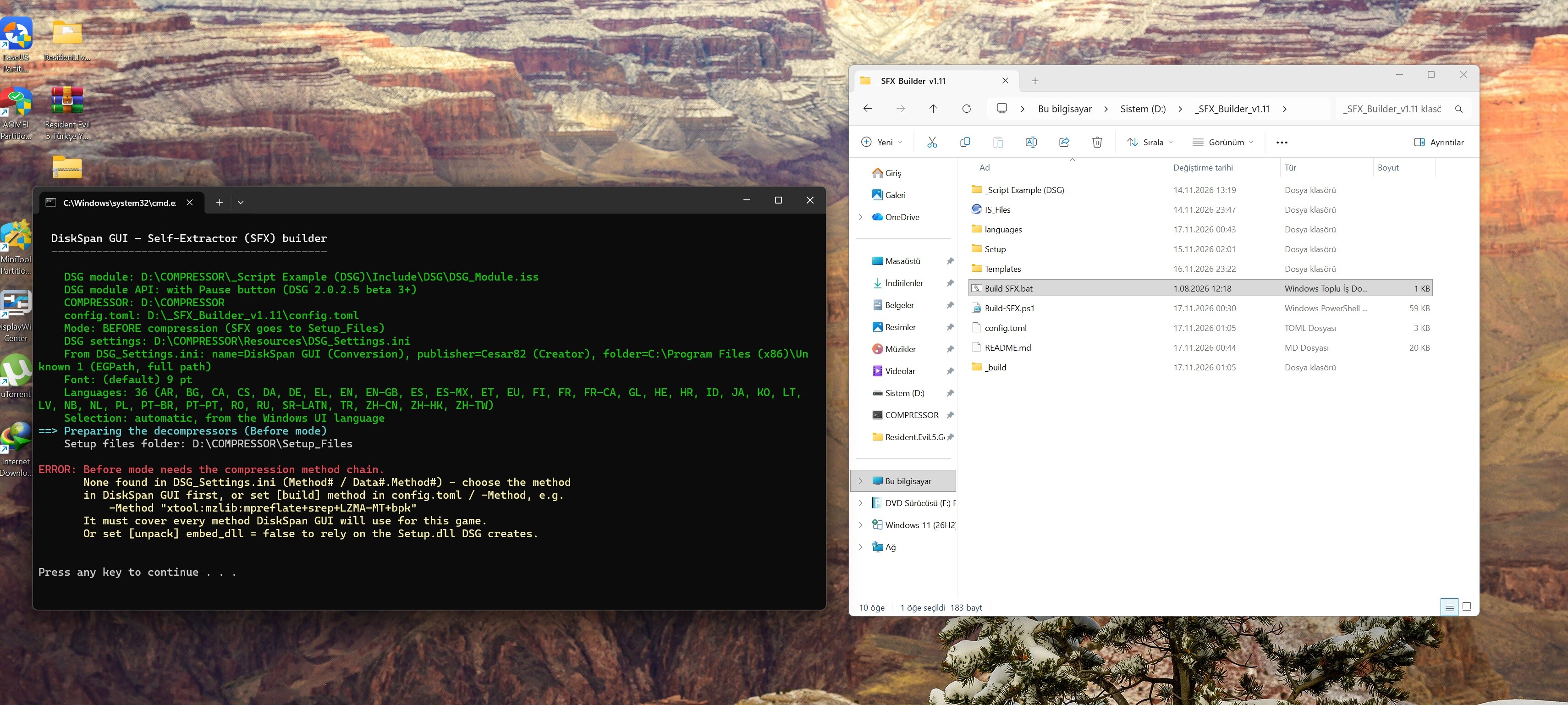
Set up the game in DiskSpan GUI first — name, creator, install path and methods are taken from there. After mode (default — single folder, or a DVD/BD set with ReservedSize): Compress the game in DiskSpan GUI, then double-click "Build SFX.bat". The EXE lands next to the data (DISK_1, DISK or CONVERSION). To extract: run it from the folder with the Data*.bin files. Before mode (multi-disk sets, DiskSpan GUI 2.0.2.5 beta 3 HF+): Set mode = "before" in config.toml, double-click "Build SFX.bat", then compress in DiskSpan GUI. The SFX is written to Setup_Files\Setup.exe, DSG reserves its size and copies it to the first disk. CONFIGURATION (config.toml) The main configuration file. Relative paths are resolved against the _SFX_Builder folder. Empty values are taken from DSG_Settings.ini: Section "sfx": name = Base name of the resulting EXE (empty = DSG Conversion) title = Window title bar text version / publisher = EXE file metadata (publisher empty = DSG Creator) language = Auto (from Windows) or a forced code: EN, DE, FR, PL, PT-BR, ZH-CN ... Section "window": width / height = Window size in logical units Section "appearance": background = Window background image (BMP format only) background_dim = Background dimming percentage (range 0–100) font_name / font_size = Window font name and size in points icon = EXE icon file (.ico) Section "output": folder = Destination offered in the window — a name = folder next to the EXE, a full path = as is (empty = DSG EGPath) Section "build": mode = "after" (after compression) or "before" (before compression, multi-disk) method = Before mode: methods for the decompressor DLL (empty = methods set in DSG) dsg_settings = DSG settings file (empty = COMPRESSOR\Resources\DSG_Settings.ini) reserved_size = "auto" (EXE size rounded up to full MB), "off" or a fixed value like "40 MB" Section "unpack": low_ram = Check "Limit RAM and CPU usage" by default close_after = Check "Close after extraction" by default ask_open_folder = Show "open this folder?" prompt when done admin = Request administrator privileges (recommended: true) dll_password = Setup.dll password (empty = DSG DLLPassword) embed_dll = Embed the decompressors directly into the EXE CHANGES LOG v1.11 - New: Turkish language (36 languages in total). - Fixed: "An attempt was made to expand the "app" constant before it was initialized" with *_mtx methods (the DSG module expands {app} unprotected; the builder now compiles from a patched copy). v1.10 - Compatibility with the DSG module from DiskSpan GUI 2.0.2.5 beta 3. - DSG module is taken from COMPRESSOR\_Script Example (DSG) first; the bundled copy is a fallback. - DSG_Settings.ini is read — output path (DISK_1 / DISK / CONVERSION), Directory=, multi-disk sets, Conversion, Creator, EGPath, methods and DLLPassword. - New: Before mode — SFX built before compression into Setup_Files\Setup.exe (DSG 2.0.2.5 beta 3 HF /dll). - New: reserved_size — sets DSG's ReservedSize to the EXE size. - New: Pause / Resume button. - New: 35 languages with automatic detection. - New: destination can be a full path (C:\Games\X) or a folder next to the EXE. - Removed: [data] name (data file renaming. You can configure it in the DiskSpan GUI). - Fixed: EXE names with national characters or an apostrophe. v1.04 - Compatibility with DiskSpan GUI v2.0.2.5 — _SFX_Builder now sits next to COMPRESSOR. - DSG module (_Script Example (DSG)) is now included. - New: [data] name — rename the data file; Records.ini Source= is updated and embedded in the EXE. - Fixed: reading Records.ini from Setup.dll when the TEMP folder is not writable. v1.03 - Initial release. Related project DiskSpan GUI by Cesar82 Last edited by sajmon83; Today at 14:45. Reason: v1.11 
|
| The Following 5 Users Say Thank You to sajmon83 For This Useful Post: | ||
Cesar82 (04-08-2026), Dunnowho69 (27-08-2026), KaktoR (Yesterday), kj911 (14-11-2026), ScOOt3r (01-08-2026) | ||
| Sponsored Links |
|
#2
14-11-2026, 14:23
|
||||
|
||||
|
CHANGES LOG
v1.04 - Compatibility with DiskSpan GUI v2.0.2.5 — _SFX_Builder now sits next to COMPRESSOR. - DSG module (_Script Example (DSG)) is now included. - New: [data] name — rename the data file; Records.ini Source= is updated and embedded in the EXE. - Fixed: reading Records.ini from Setup.dll when the TEMP folder is not writable.
|
|
#3
Yesterday, 20:16
|
||||
|
||||
|
I like the project.
It’s interesting to see someone else developing a script compatible with DSG. However, I believe the project needs a few adjustments to improve it. The output folder in DSG is configurable. The default is DISK_1 (or simply DISK if there is only one medium); it only becomes "CONVERSION" when the UNLIMITED tab is selected. Since the purpose of DiskSpan GUI (DSG) is to create multi-disk sets, the path handling should be compatible with this. Because DSG stores its settings in an external file, you could read the INI file to determine the correct path. You can read the `DSG_Settings.ini` file located in the "COMPRESSOR\Resources" folder. Read ini: [CommonSettings] >> OutputPath= + \ + [CommonSettings] >> DiskLabel= + 1 (if not exist remove "_1" from patch and verify again) Even so, there is still a minor issue. Your output folder for the "unpacker.exe" executable is "Conversion_Output\CONVERSION" (or potentially "Conversion_Output\DISK_1" / "Conversion_Output\DISK"), but DSG must first generate the `DATA.bin` files before you can create your "unpacker.exe". Furthermore, DSG requires the "unpacker.exe" to be present in the `Setup_Files` folder so that it can determine its file size, perform calculations, and reserve the necessary space to include "unpacker.exe" on the first disk. It would be possible to generate the "setup.dll" first, create your "unpacker.exe", and place it into the "Setup_Files" folder—but this would require the target medium/method to have been selected beforehand. For these "DISKSPAN" reasons, DSG uses an external Setup.dll containing the decompressors. This is because if you choose the DVD5 option and generate your unpacker.exe afterward, you probably won't be able to burn it onto a DVD5 disc unless you reserve some space on the first disc, for example, 20 MB. Last edited by Cesar82; Yesterday at 22:10.
|
| The Following User Says Thank You to Cesar82 For This Useful Post: | ||
sajmon83 (Today) | ||
|
#4
Today, 08:14
|
||||
|
||||
|
DSG 2.0.2.5 beta 3 HF - the /dll switch fails for some XTool options.
"/dll=x.dll /method=xtool:mzlib:dd" and "/method=xtool:mzlib:mzstd" create no DLL and show "Runtime Error: Could not call proc" or "An attempt was made to access WizardForm before it has been created". xtool:mzlib:mpreflate, uelr, srep_new:490g and rofz work fine. Both failing ones are the entries with {fake:...} placeholders in [Decomp.XT_Dedup] and [Decomp.XT_ZSTD], so the ParamFakes expansion probably touches WizardForm in /dll mode. PS:"rofz" is my own compressor that I'm currently working on :P Last edited by sajmon83; Today at 08:17.
|
|
#5
Today, 09:22
|
||||
|
||||
|
Quote:
|
| The Following User Says Thank You to Cesar82 For This Useful Post: | ||
sajmon83 (Today) | ||
|
#6
Today, 13:51
|
||||
|
||||
|
CHANGES LOG
v1.10 - Compatibility with the DSG module from DiskSpan GUI 2.0.2.5 beta 3. - DSG module is taken from COMPRESSOR\_Script Example (DSG) first; the bundled copy is a fallback. - DSG_Settings.ini is read — output path (DISK_1 / DISK / CONVERSION), Directory=, multi-disk sets, Conversion, Creator, EGPath, methods and DLLPassword. - New: Before mode — SFX built before compression into Setup_Files\Setup.exe (DSG 2.0.2.5 beta 3 HF /dll). - New: reserved_size — sets DSG's ReservedSize to the EXE size. - New: Pause / Resume button. - New: 35 languages with automatic detection. - New: destination can be a full path (C:\Games\X) or a folder next to the EXE. - Removed: [data] name (data file renaming. You can configure it in the DiskSpan GUI). - Fixed: EXE names with national characters or an apostrophe. Last edited by sajmon83; Today at 13:55.
|
| The Following User Says Thank You to sajmon83 For This Useful Post: | ||
Cesar82 (Today) | ||
|
#10
Today, 14:18
|
||||
|
||||
|
Quote:
Method 1: Using the DiskSpan GUI 1. Launch the DiskSpan GUI in Developer MODE. 2. Configure the settings under the "General" tab. Click "Save," then select "No." 3. In `config.toml`, change `mode = "after"` to `mode = "before"`. 4. Based on the settings you entered in the DiskSpan GUI (in Developer MODE), run `Build SFX.bat`. 5. Run `DiskSpan_GUI.exe` and perform the compression. Method 2: 1. Run `DiskSpan_GUI.exe` and perform the compression. 2. Configure `config.toml` (ensure `mode` is set to `"after"`). 3. Run `Build SFX.bat`. PS: Oh, I forgot xD that the DSG hasn't been updated yet. For method 1, you need to use DSG 2.0.2.5 beta 3 HF Or wait for the "DSG 2.0.2.5 final" version| Quote:
Last edited by sajmon83; Today at 14:46.
|
|
#11
Today, 14:47
|
||||
|
||||
|
Quote:
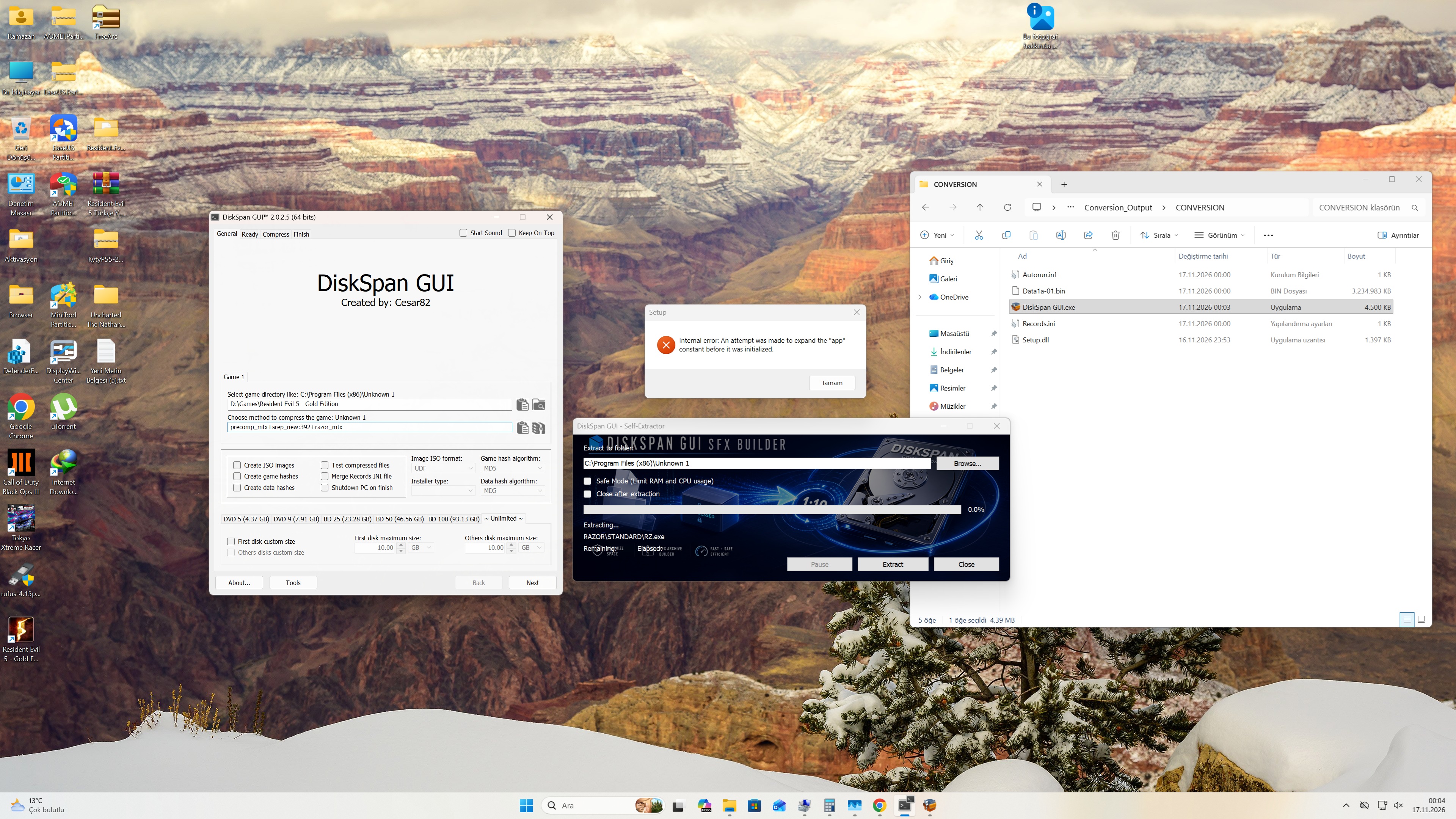
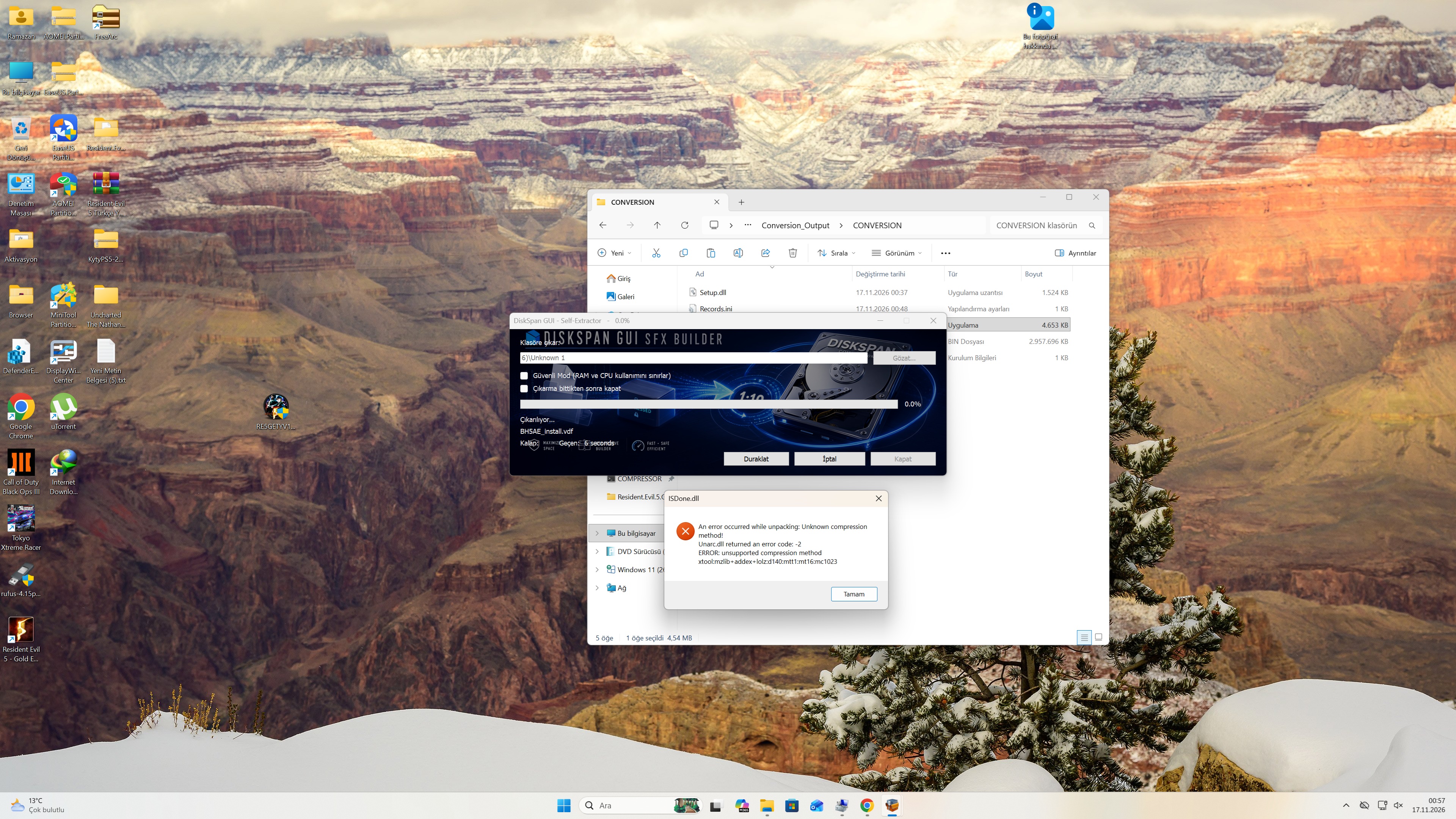
- New: Turkish language (36 languages in total). - Fixed: "An attempt was made to expand the "app" constant before it was initialized" with *_mtx methods (the DSG module expands {app} unprotected; the builder now compiles from a patched copy). Turkish is added the SFX switches to it automatically on Turkish Windows (or force it with /LANG=TR). If anything in the translation sounds off, let me know and I'll fix it.
|
 |
| Thread Tools | Search this Thread |
| Display Modes | |
|
|
 Similar Threads |
||||
| Thread | Thread Starter | Forum | Replies | Last Post |
| DiskSpan GUI | Cesar82 | Conversion Tutorials | 539 | Today 14:36 |
| How to use Diskspan GUI v2+ | mausschieber | Conversion Tutorials | 53 | 13-11-2026 11:04 |
| Windows Phone Installer (bug free) | bunti_o4u | Conversion Tutorials | 257 | 10-09-2026 11:43 |
| How to use diskspan bat | mausschieber | Conversion Tutorials | 13 | 14-01-2026 20:20 |
| How to use DiskSpan BAT | mausschieber | Conversion Tutorials | 5 | 09-07-2021 02:59 |




 Linear Mode


