|
#2
 09-05-2008, 14:00
|
|||
|
|||
|
Diablo 2 and D2 : Lord of Destruction DVD5
1) Create a Temp folder on your harddrive. Name this folder: Diablo2_DVD. This will be the name (Label) of our DVD. 2) Copy all the contents from CD1 [installdisc] to the Temp folder. Rename INSTALL.EXE to INSTALL_DIABLO2.EXE 3) From CD2 [playdisc] copy all files to the same Temp folder [don't replace any files, replace folders if needed] 4) From CD3 [cinematics] copy all files to the same Temp folder [don't replace any files, replace folders if needed] 5) From expansion disc [lord of destruction] copy INSTALL.EXE and SETUP.MPQ to harddisk but not into our Temp folder. Open in any hex editor INSTALL.EXE from harddisk [that install.exe from expansion], search for string 'SETUP.MPQ' and replace to 'SETUX.MPQ' save and close. rename INSTALL.EXE to INSTALL_LOD.EXE and move to Temp folder rename SETUP.MPQ to SETUX.MPQ and move to Temp folder 6) Copy from Lord of Destruction all other files and folders to Temp folder. Not replace any files [except BINKW32.DLL, dont copy install.exe] Replace all folders 7) Open the AUTORUN.INF file in Diablo2 to look like this: [autorun] OPEN=INSTALL_DIABLO2.EXE ICON=DIABLOII.ICO or icon change to icon of expansion 8 ) Create another folder/s for any Updates, Serial, Patches and or Cracks etc. NOTE: Name this/these folder/s whatever you want. 9) Burn the contents of the Temp folder to a DVD with the Label: Diablo2_DVD menu for this conversion autorun menu download menu for d2 and d2lod extract/put into image replace all files rename folder with patches to 'nodvd' -patches must in this subfolder and dont rename it use orginal name : D2Patch_111b.exe LODPatch_111b.exe open serial_d2.txt add serial for diablo 2 open serial_lod.txt add serial for lord of destruction that's all my first menu , looks very badly... im use for my conversion - dont need good looking menu but must be useable , all in one page have start sound -the same like in orginal installer have on click/on hover button sound - thes same like in orginal installer 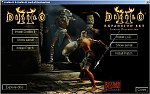
__________________
Orca - msi editor iscab14.0.0.162 [layout.bin + bat file] iscab11.50.0.42618 [layout.bin + bat file] iscab10.0.0.159 [layout.bin + bat file] cabarc6.0.5730.13 makecab.[ddf]5.1.2600.2180 StarBurn CD/DVD/Blu-Ray/HD-DVD - good for UDF image Listing Contents of disk [RCD format] exe by Skeraxe Last edited by mondragon; 11-05-2008 at 13:59. 
|
|
|
 Similar Threads
|
||||
| Thread | Thread Starter | Forum | Replies | Last Post |
| German Diablo 2 with an english Lord of Destruction CD? | DaRealAce | PC Games | 0 | 15-12-2002 17:49 |
| Diablo 2: Lord of destruction | mrupset | PC Games | 5 | 22-09-2002 21:54 |
| Diablo II Lord of Destruction Fixed EXE v 1.0.7 | dkjsafbjk | PC Games | 1 | 19-08-2002 07:19 |
| Diablo 2: Lord of Destruction | Rafaelbn | PC Games | 18 | 14-06-2002 10:12 |
| diablo 2 protection versus lord of destruction protection | bidule | PC Games | 6 | 13-02-2002 02:36 |


 Threaded Mode